Tabletop Simulator Explained: Physics Sandbox, Workshop Mods and Official DLC
What Tabletop Simulator is, how hosting and Workshop mods work, official DLC, Lua scripting basics, the 2.0 roadmap as of 2026, and respecting publishers' rights.
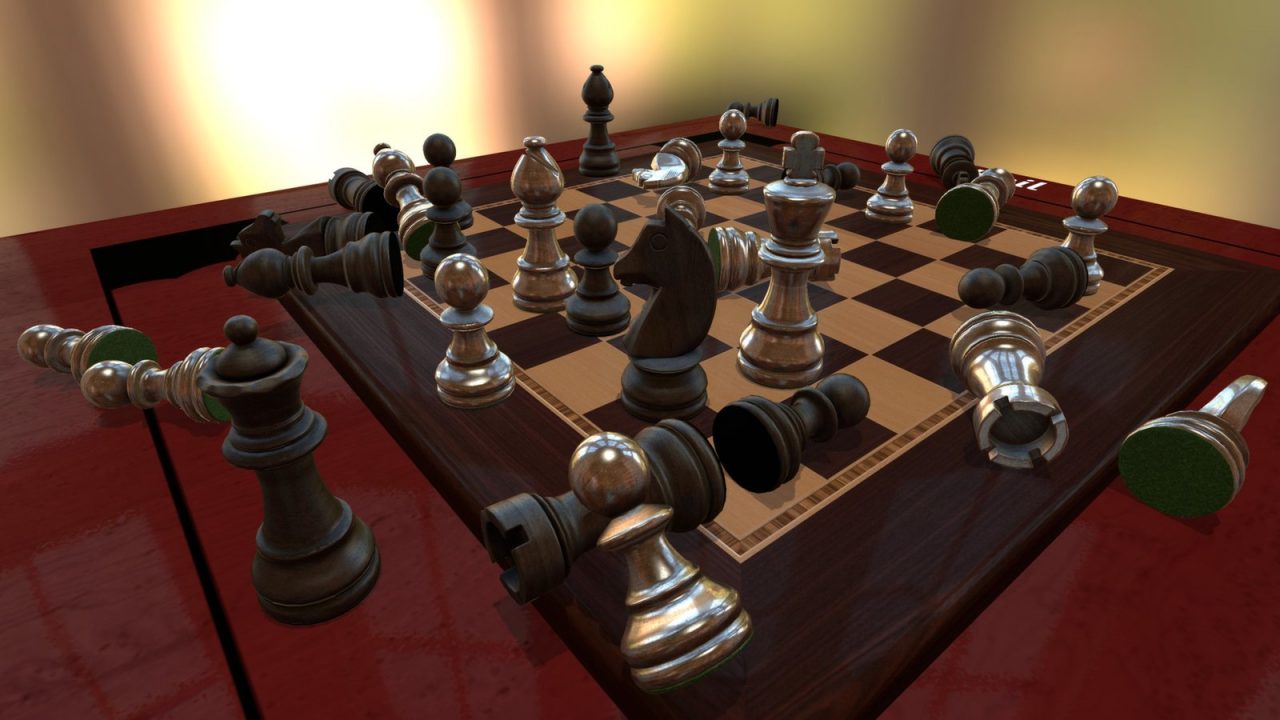
Most digital board games are programs that know the rules. Tabletop Simulator is the opposite. It gives you a virtual table, a physics engine and a box of components, and then gets out of the way. Cards can be shuffled, dice can be rolled and tossed off the table, and if you lose a game of chess you can, quite literally, flip the board. Nothing stops you from making an illegal move, because the program has no idea what the rules are.
That freedom is exactly why Tabletop Simulator, often shortened to TTS, has stayed popular for more than a decade. This guide explains how it works, where its enormous library of content comes from, how scripting fits in and what the ongoing 2.0 overhaul means for players as of 2026.
What Tabletop Simulator Is
Tabletop Simulator is developed and published by Berserk Games, a small studio founded by designer Jason Henry. It was funded through a Kickstarter campaign in February 2014 and released on Steam on June 5, 2015, for Windows, macOS and Linux. It is built on the Unity engine and supports online multiplayer for up to ten players, along with a VR mode.
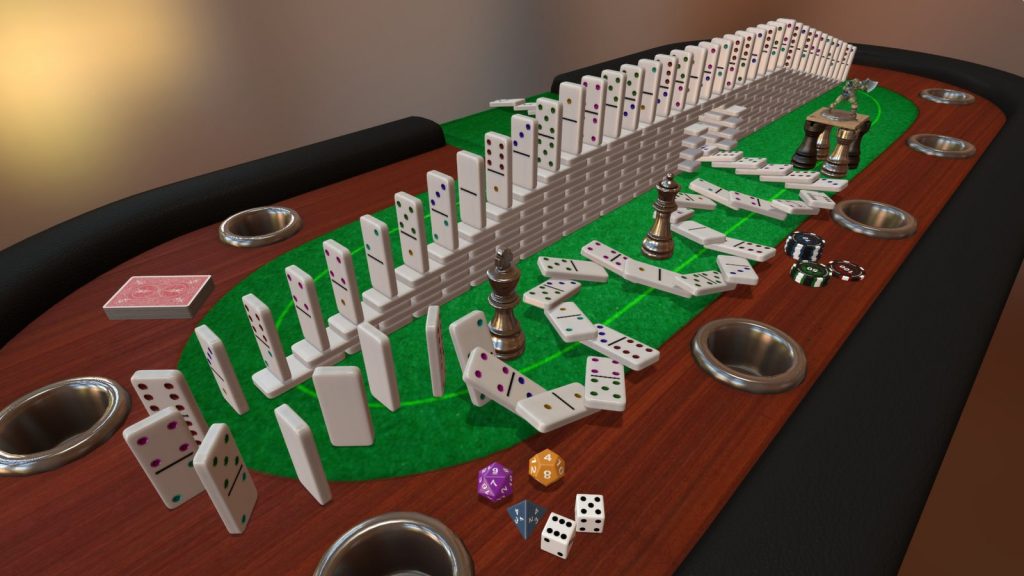
The core idea is a physics sandbox for tabletop games. Every object on the table has weight and collision. You pick things up with the mouse, drop them, stack them, flip them and rotate them. Decks of cards behave like decks: you can shuffle them, deal to each player’s private hand zone and search through them. Dice tumble and settle. The experience is much closer to sitting at a real table than to playing a typical digital board game.
Out of the box, the game includes a set of classic games such as chess, checkers, backgammon, standard playing cards, dominoes and jigsaw puzzles, plus generic components for building your own games. The real depth, however, comes from user-created content.
No Rules Enforcement: Feature, Not Bug
The most important thing to understand before buying is that TTS does not enforce rules. The players do. If someone forgets to draw a card, nobody tells them. If two people disagree about a rule, they have to look it up, exactly as they would at home.
This has clear advantages:
- Anything can be played. Because the software does not need a rules engine for each game, any game that can be represented with cards, boards, tokens and dice can be built in TTS.
- House rules are easy. You can play variants, fan expansions or prototype rules without waiting for anyone to program them.
- It feels social. Handling pieces, arranging your own area and watching others move theirs recreates the rhythm of a real game night.
The trade-offs are just as real. Setup can be slow, bookkeeping is manual, and learning a new game from scratch is harder than in an adaptation that shows only legal moves. For a comparison with platforms that do enforce rules, see our guides to Board Game Arena and the best official digital adaptations.
Hosting and Joining Games
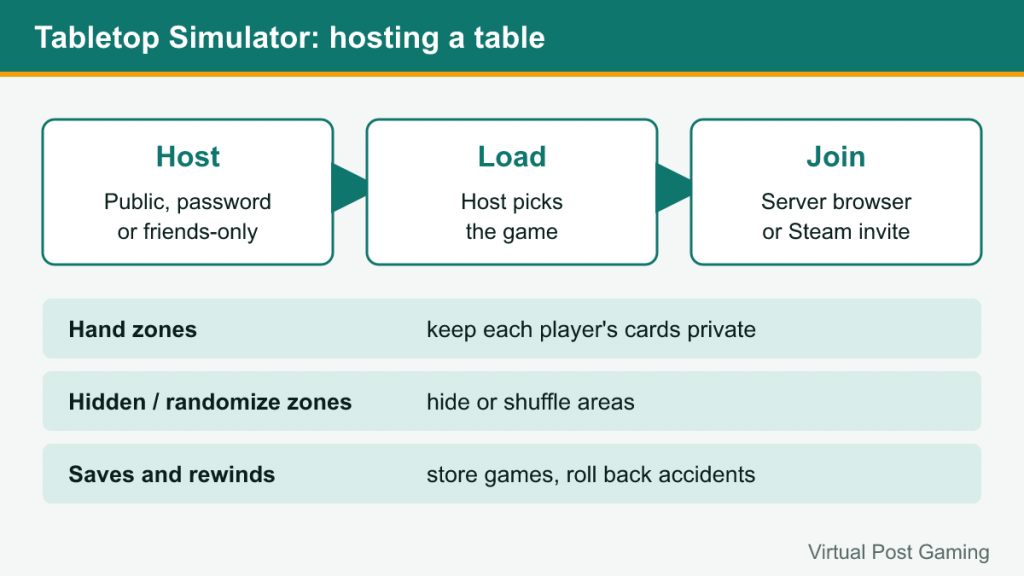
Multiplayer is session-based. One player hosts a server, chooses whether it is public, password-protected or friends-only, and loads a game. Other players join through the server browser or via Steam invitations. Once everyone is in, the host has administrative control: they can change player colors, promote others to help manage the table and load or save the game state.
Several tools make the table manageable:
- Hand zones keep each player’s cards private. Other players see only the backs.
- Hidden and randomize zones hide areas of the table or shuffle anything placed inside them.
- Saves and rewinds let you store a game in progress and roll back accidents, such as a dice tower being knocked over.
- Voice and text chat are built in, although many groups prefer an external voice app.
Because the host’s machine coordinates the session, a stable connection on the host side matters. In 2026, Berserk Games moved multiplayer onto Steam’s newer networking system as part of its 2.0 roadmap, routing connections through Steam relays and encrypting traffic. That change shipped to all players in early October 2026 as version 14.2 after a public beta earlier in the year.
Steam Workshop: Where the Library Comes From
The Steam Workshop is the heart of TTS. Players upload “mods,” which are saved tables containing boards, cards, tokens, scripts and sometimes custom 3D models. Subscribing to a mod downloads it, and it appears in your games menu ready to load.
Workshop content ranges widely:
- Original designs from independent designers who use TTS to share, playtest and promote their games.
- Utility tables such as dice rollers, card templates and scripting examples.
- Fan implementations of existing commercial games, which is where legal and ethical questions arise (covered below).
Mods often depend on images and models hosted on external servers. If those links break, assets fail to load, and older mods may appear with missing textures. Workshop pages and comments usually reveal whether a mod is maintained, so it is worth checking update dates and reading recent comments before planning a session around one.
Official DLC
Alongside the Workshop, Berserk Games sells official DLC: licensed versions of published board and card games made in cooperation with their publishers. Official DLC means the publisher has approved the content and receives a share of revenue, the components are complete and accurate, and the package is maintained.
The DLC catalog has grown over the years to include games across many weights and genres. Because the list changes, the most reliable way to see what is available is the Tabletop Simulator store page on Steam, which lists the current DLC. As with everything in TTS, official DLC usually adds components and sometimes helpful scripting, not a full rules engine.
The 2.0 roadmap also describes a planned Creator Marketplace, where creators could sell original paid content. Berserk Games has said this would sit alongside the free Workshop rather than replace it, and existing free mods would stay available. As of October 2026, that marketplace had not launched, so treat details as subject to change.
Scripting Basics
TTS supports scripting in the Lua programming language. Scripts can be attached to the whole table or to individual objects, and they can respond to events such as an object being picked up, a card entering a zone or a button being pressed.
Common uses for scripting include:
- Automated setup. A single button deals starting hands, places tokens and arranges boards for the chosen player count.
- Score counters. Scripts can count resources on a player board or total victory points.
- Custom buttons and interfaces. Mods can show menus, trackers and reminders.
- Partial rules help. Some heavily scripted mods enforce parts of the rules, such as phase tracking, while still leaving most decisions to players.
For beginners, the best way to learn is to open a well-scripted mod, read its scripts and change small things. The official knowledge base documents the scripting API, and the community maintains tutorials. Scripts are a powerful feature, but a mod with complex scripting can also break when the game updates, so authors need to maintain their work.
Respecting Publishers’ Rights
The Workshop contains many fan-made versions of commercial board games, and this is the most sensitive part of the TTS ecosystem. Uploading scans of a published game’s cards, rules and art without permission can infringe the publisher’s copyright, and publishers can and do request removal of Workshop items.
Reasonable guidelines for players and creators:
- Prefer official DLC and publisher-approved mods when they exist. They support the designers and are less likely to disappear.
- Own the physical game if you play a fan version of a commercial title. Many players treat fan mods as a convenience for people who already bought the game.
- Do not upload what you do not have the right to share. Original games, public-domain games and content released with permission are safe to share.
- Respect takedowns. When a publisher asks for content to be removed, that request should be respected rather than circumvented by re-uploads.
Many designers and publishers actively use TTS for playtesting and crowdfunding demos, and some publish free official mods for exactly that reason. Supporting those efforts keeps the ecosystem healthy.
The 2.0 Overhaul
At the start of 2026, Berserk Games announced a series of free updates under the Tabletop Simulator 2.0 banner, aimed at modernizing the game. The published roadmap covers stable and secure online play first, then performance improvements, a user interface overhaul with separate modes for playing and editing, better Steam Deck and controller support, and a rework of VR, alongside the Creator Marketplace mentioned above.
As of mid-October 2026, the networking stage has shipped. Version 14.2 also moved the game to a newer Unity release in preparation for the interface overhaul, which had not yet arrived. Because the roadmap is staged, check the official patch notes for the current state before relying on any specific feature.
Is Tabletop Simulator Right for You?
| TTS suits you if… | Look elsewhere if… |
|---|---|
| Your group already knows the rules | You want the computer to teach and enforce rules |
| You want to play prototypes or niche games | You mostly play solo against AI |
| You enjoy the physical feel of handling pieces | You want quick, low-setup sessions |
| You like to tinker with scripting or design | You prefer a polished, curated experience |
A common pattern is to use both kinds of tool: a rules-enforcing app or platform for quick and familiar games, and TTS for the games that are not available anywhere else or for designers testing their own work.
Frequently Asked Questions
Does everyone need their own copy?
Yes. Each player needs to own Tabletop Simulator on Steam to join online games. Official DLC is generally needed only by the host, but it is worth checking the specific DLC page.
Can I play solo?
You can, but with no AI opponents in most games, solo play suits games that are designed for one player or for practicing setups and learning rules.
Is there an alternative?
Other virtual tabletop tools exist, including physics-based competitors and browser platforms with enforced rules. Each has its own trade-offs between flexibility and convenience.